Open sourceMITLocal-firstv0.8.6

API tests you can watch run

APIWeave turns your API calls into a visual workflow canvas. Chain requests, assert responses, and watch every run light up node by node — on your machine, with secrets that never leave it.

Windows · macOS · Linux — no account required

Real capture of the app — a workflow going green as it runs

Watch it flow

One workflow, start to green

Press run and the canvas comes alive: requests fire along the edges, the camera follows the active branch, and each node settles as its assertions pass. When something breaks, it breaks loudly.

36 seconds: idle canvas → a node's request editor → a secret referenced by name → a token chained into the next request → the whole run going green. Captured from the desktop app.

Failures read at a glance

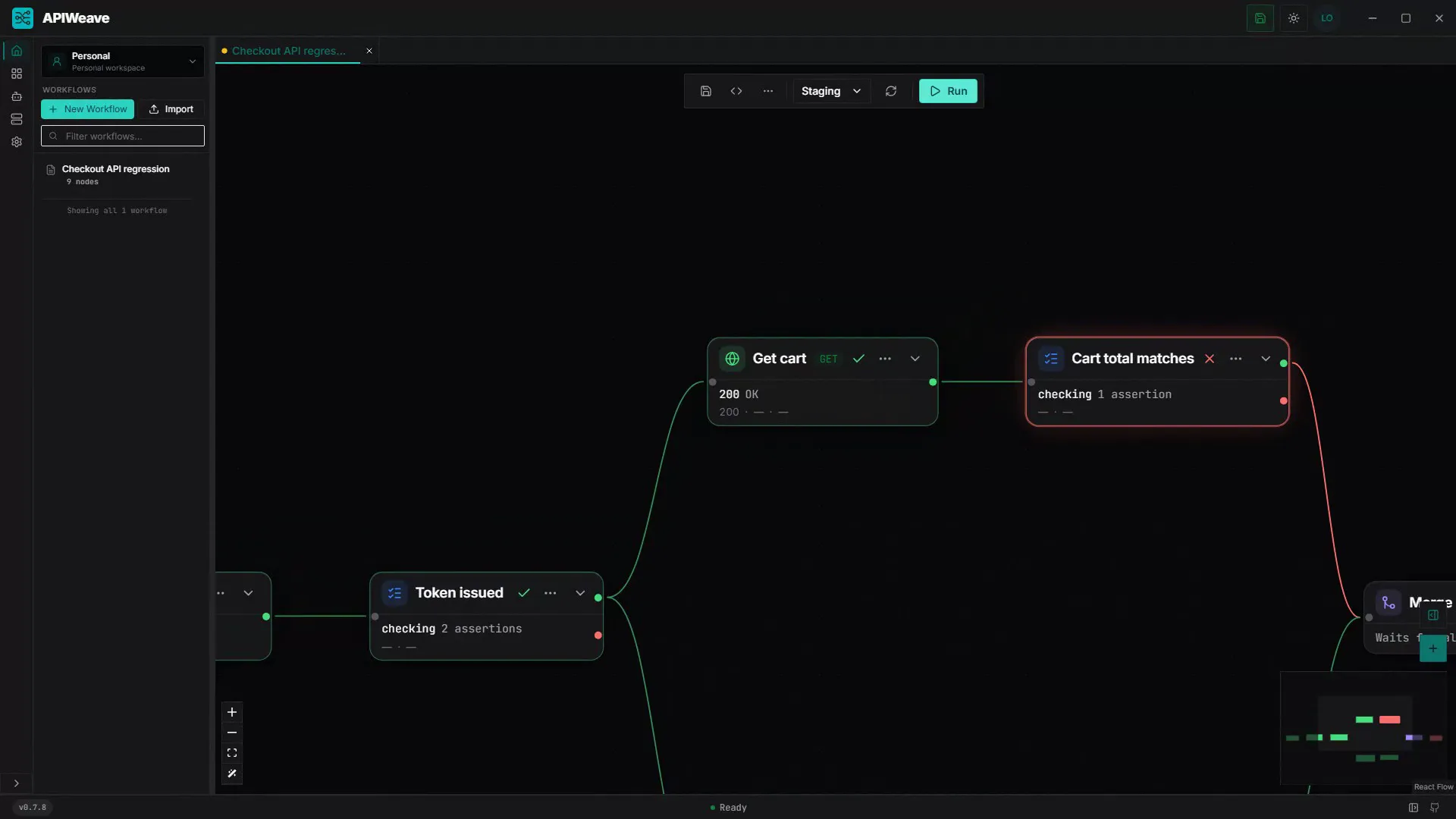
A failing assertion paints its node red and routes the run down the failure branch. Open the node: the expected value, the actual response, and the operator that failed are right there — plus a waterfall of everything that already passed.

  • status equals 200
  • body.total equals 4200
  • headers.x-request-id exists

The workbench

A canvas built for real API work

Every visual here is the actual app. The colors are the app's own language: HTTP verbs, running amber, passing green, failing red.

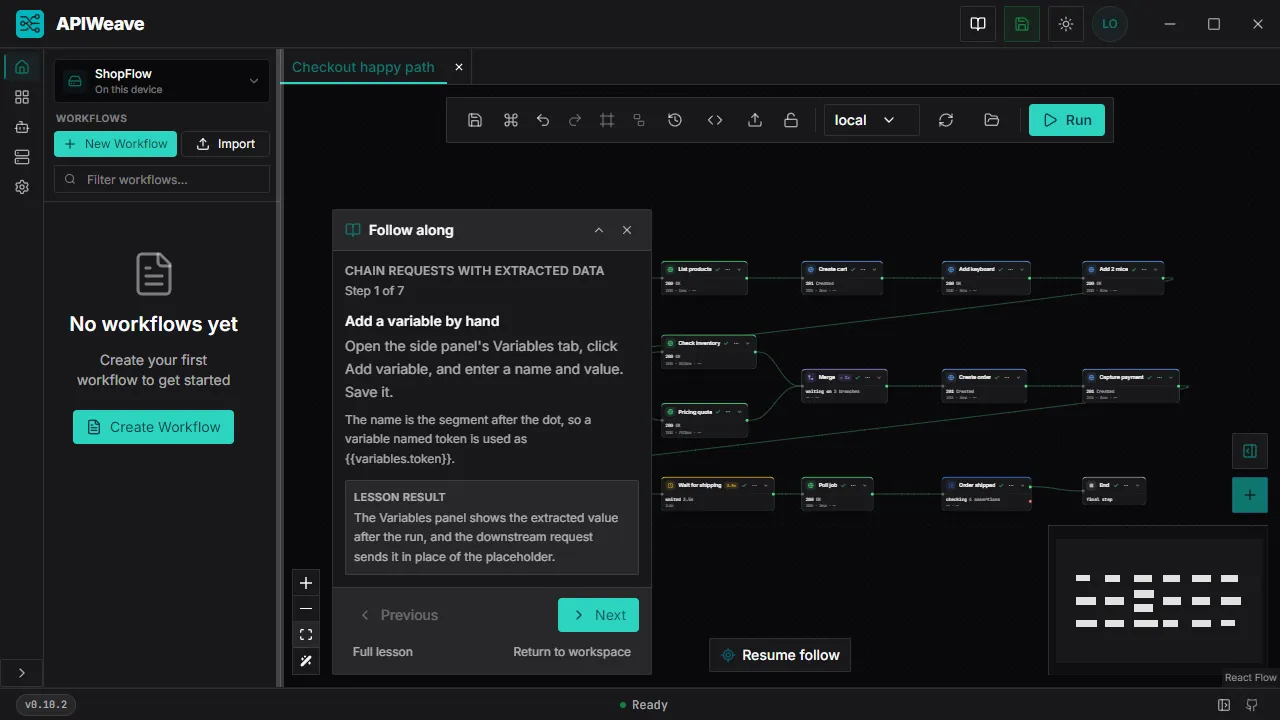
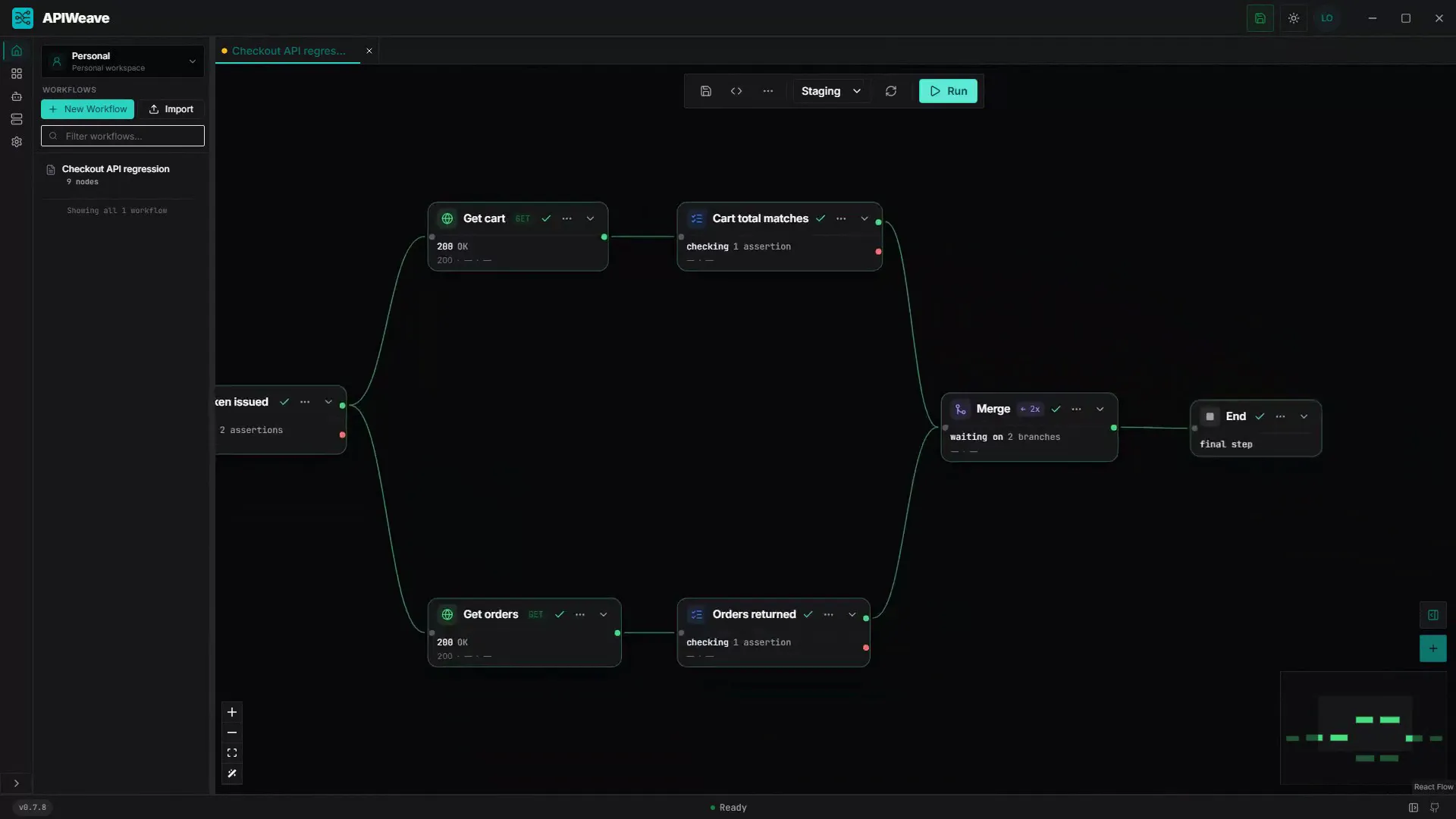
The APIWeave canvas with a workflow graph of connected nodes

A canvas that behaves like a run

Drag nodes onto the dot grid, wire them with bezier edges, and let the 700ms autosave do the saving. Workflows open as tabs; the minimap keeps big graphs navigable; JSON view is one click away.

  • HTTP request
  • Assertion
  • Delay
  • Merge
  • Call workflow
A failing assertion painting its node red, with the edge out of it red too

Assertions that branch

Eleven operators over status, headers, cookies, variables and the previous response — with pass and fail edges, so a broken contract takes its own path through the graph.

AI agents in the loop

An embedded terminal puts a coding agent beside the canvas, driving APIWeave over MCP: diagnose a failed run, patch the graph under a revision guard, and watch the change land live. It launches whichever CLI you already have installed.

A local MCP bridge

Opt-in and loopback only: 52 whitelisted tools over 127.0.0.1, one bearer token per install, and a secret surface that returns names and scopes but never a value. Off by default — nothing listens until you ask.

Runs you can rewind

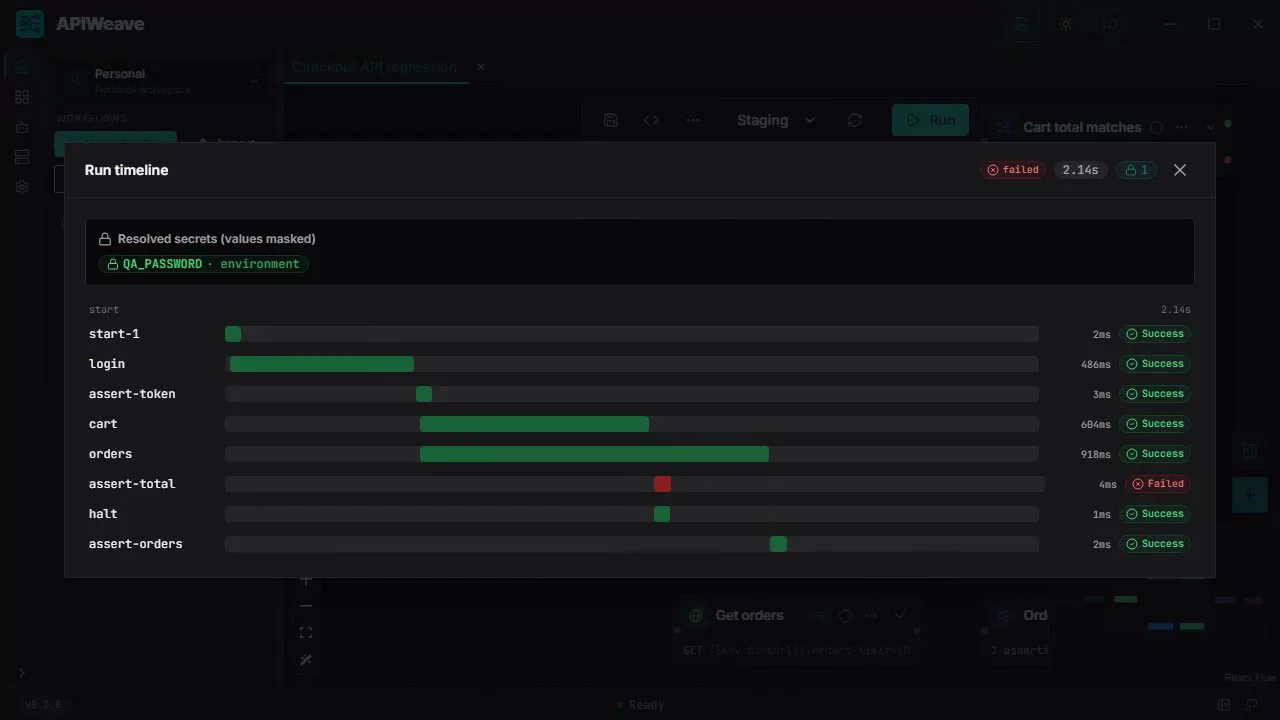
The timeline lays every node out as a waterfall — parallel branches, delays and all. Open the failing bar for its reason, and the run's secret references stay masked.

Variables that flow

JSONPath extractors chain responses into the next request, and the panel traces every value back to the node that produced it. Environments scope the values, and inheritance stacks them (base → staging → staging-eu).

Secrets that never leave

Values are sealed into an encrypted store on your machine. Workflows reference {{secrets.*}}, the store is write-only at rest, and runs are masked before history is written.

Generators, built in

Thirteen functions resolve at run time — uuid(), timestamps, dates, random strings and numbers. Search the panel, copy the placeholder, drop it into any value field.

Drop a specification, get a workflow

  • OpenAPI 3
  • Swagger 2
  • HAR
  • cURL

Bring your existing API

Import OpenAPI and Swagger definitions as ready-to-run request nodes, replay browser sessions from HAR, and paste a cURL command straight onto the canvas.

How it works

Assemble. Run. Inspect.

The loop the canvas is built around — the same three moves whether the workflow has five nodes or fifty.

  1. A workflow being assembled: HTTP, assertion and merge nodes wired on the canvas

    Assemble

    Drag requests, assertions, delays and merges onto the canvas. Wire the branches, set expected statuses, extract what the next node needs. It autosaves as you go.

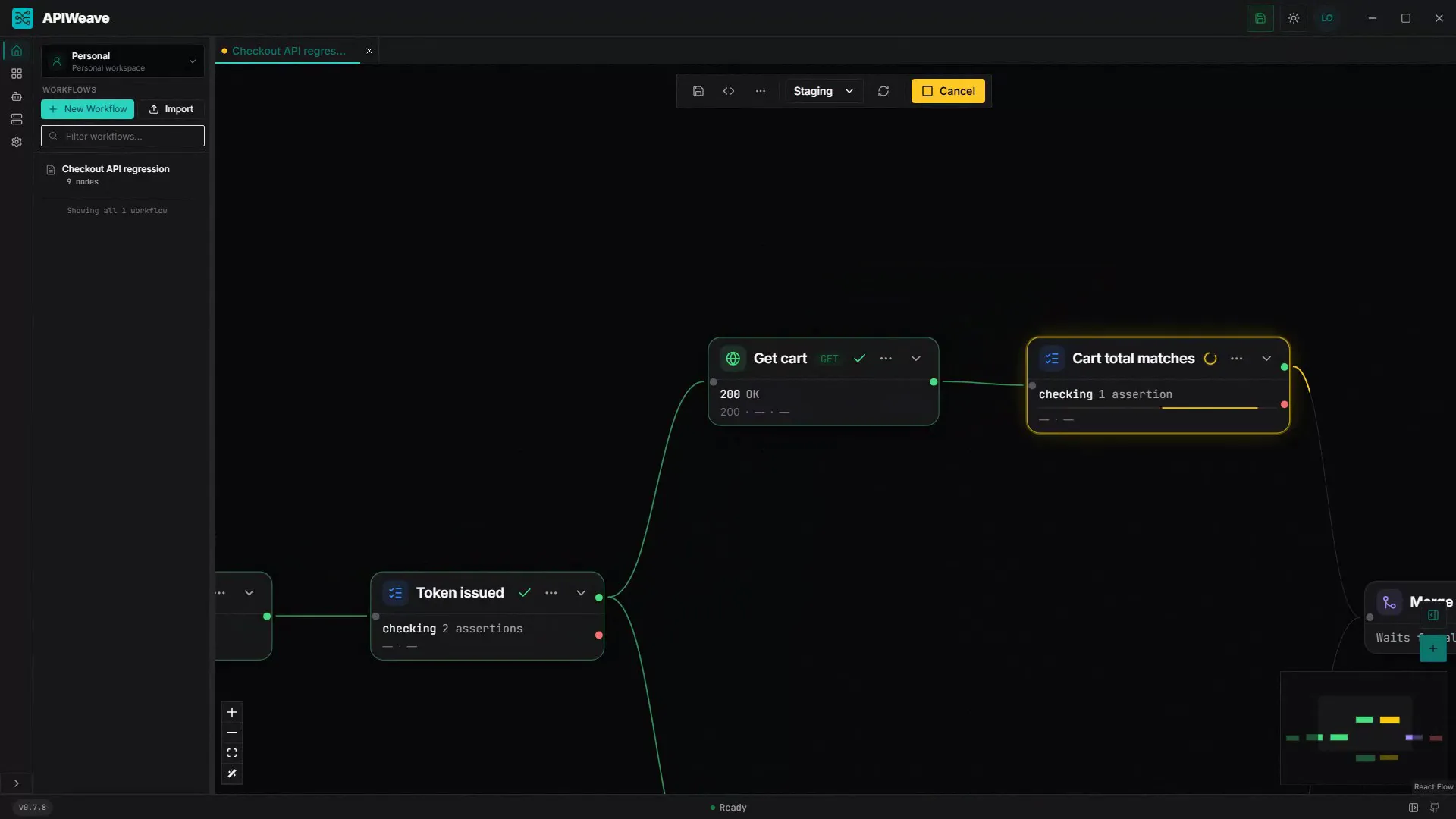
  2. The workflow running: nodes glowing amber while requests execute

    Run

    Pick an environment and press run. Requests fire along the edges, variables resolve, and the camera follows the active branch so you never lose the thread.

  3. The run timeline: every node of the run as a bar on one clock, the failing one in red

    Inspect

    The timeline replays the run as a waterfall — every branch, every delay, every extraction, laid out on one clock. Open any node for its request, response and assertions.

Optional cloud

Sync the work. Keep the secrets.

The desktop app is complete on its own. Add a free cloud account and your workflow structure follows you across machines — while everything sensitive stays exactly where it is.

What syncs

  • Workspace, project, and workflow structure
  • Environment names and secret references
  • Membership, roles, and revisions

What never leaves your machine

  • Secret values
  • Run history and response bodies
  • Requests against your systems under test

The cloud API rejects any payload that carries secret material — a desktop client cannot upload one by accident.

Teams and roles

Invite teammates, assign one of five roles, and share workspaces — with access you can revoke.

Linked devices

Every desktop that syncs is a known device. Revoke one, and it stops receiving structure.

Conflict resolution

When two machines change the same workflow, cloud raises a conflict — compare field by field and merge, never overwrite.

Create account

Cloud never runs your tests and never stores run history. It is a control plane, not a host.

Questions

The boundary, precisely

Where the app ends and the cloud begins — in plain terms.

  • Does APIWeave Cloud run my API tests?

    No. Workflows are authored and executed by the APIWeave desktop app, against the environments on your own machine. Cloud never builds, runs, or hosts workflow execution, and it stores no run history and no response payloads.

  • What actually syncs to the cloud?

    Structure only: workspace, project, and workflow structure, environment names and secret references, plus membership, roles, and revisions. Response bodies, run history, and the requests you send to your systems under test never leave your machine.

  • Do my secret values ever leave my machine?

    No. Cloud carries secret references such as {{secrets.apiToken}}, never the values behind them. The API rejects any sync or conflict payload that carries a non-empty secrets field, so a desktop client cannot upload one by accident.

  • Does the desktop app work without a Cloud account?

    Yes. APIWeave is local-first: you can install it and build, run, and store workflows with no account at all. A Cloud account adds shared workspaces, member roles, linked devices, and conflict resolution on top of that.

  • What happens when two desktops change the same workflow?

    Cloud raises a conflict instead of overwriting either side. You compare the local copy against the cloud copy field by field, choose which copy wins each field, and the resolution lands as a new revision that both desktops then sync.

  • Is APIWeave open source?

    Yes. The desktop workbench and this cloud control plane are both public on GitHub and free to use. Authentication is OIDC, and access tokens are held server-side rather than in the browser.

  • Can I self-host APIWeave Cloud?

    The whole control plane is in the repository, and it ships a Docker Compose stack — Postgres, ZITADEL for identity, the Go API, the web app, and a Caddy edge — that brings the full thing up locally. Cloud is under active development and not production-ready, so there is no supported hosting guide yet.

Your next test is a story away

Install the app, open the canvas, and watch your first workflow go green. No account, no configuration, no telemetry.

MIT · local-first · Windows, macOS, Linux